7 Critical Website Speed Issues Killing Your Lead Generation (And How We Fix Them)
63% of visitors will abandon your website if it takes more than 3 seconds to load. That's not just a bounce rate problem—it's a lead generation crisis.
For service-based businesses, every second of delay creates a compounding negative effect. The data is stark:
- Every 1 second delay = 7% drop in conversions
- Sites taking 5 seconds vs 2 seconds lose 53% of mobile visitors
- Speed affects both user experience AND Google rankings (double penalty)
In this comprehensive guide, you'll discover exactly what's slowing down your website, why it's costing you leads, and how to fix each issue. We'll walk through a real case study where we improved a site's speed from 3.8s to 1.2s, resulting in a 40% increase in qualified leads.
Before you read further:
Take our Free Website Speed Audit to see your exact speed issues. It takes 60 seconds.
Key Facts: Website Speed & Lead Generation
- • 63% of visitors abandon websites that take over 3 seconds to load
- • Every 1-second delay causes a 7% drop in conversions
- • Sites loading in 5 seconds vs 2 seconds lose 53% of mobile visitors
- • Google uses Core Web Vitals (LCP, INP, CLS) as a direct ranking factor
- • Fixing speed from 3.8s to 1.2s load time can increase qualified leads by 40%
- • Last updated:
Why Website Speed Directly Impacts Lead Generation
The Speed-to-Lead Conversion Equation
| Load Time | Visitors | Form Abandonment | Leads Generated |
|---|---|---|---|
| 1.5 seconds | 100 | 15% | 6-8 leads |
| 3.0 seconds | 100 | 35% | 3-4 leads |
| 5.0 seconds | 100 | 53% | 1-2 leads |
The difference between a 1.5s and 5s site = 4-6 fewer leads per 100 visitors. Multiply by 12 months = 48-72 leads lost annually from speed alone.
Speed Affects More Than Just Conversions
Google Ranking Impact
Core Web Vitals (LCP, CLS, INP) are official ranking factors. Slow sites get pushed down in search results, losing you organic traffic. Learn more about how speed is now an SEO ranking factor.
Search Index Coverage
Slow sites get crawled less frequently by Google's bots, meaning your new content takes longer to appear in search results.
AI Authority Signal
Fast sites get cited more in AI-generated responses (ChatGPT, Google AI Overviews), becoming the trusted source.
Trust & Credibility
Users perceive fast sites as more professional, modern, and trustworthy. Slow sites feel outdated and unreliable.
Bottom Line: Speed isn't a 'nice-to-have' optimization. It's a lead generation multiplier. Fix speed, get more conversions from the same traffic.
The 7 Critical Website Speed Issues (And How to Fix Each One)
ISSUE #1: Unoptimized, Heavy Images
The Problem:
Images uploaded directly from cameras or screenshots are typically 2-5MB each. A website with 5-10 unoptimized images adds 10-50MB of download data that visitors must load before seeing your content.
Why It Kills Leads:
- • Mobile users (80% of traffic) experience even slower speeds on cellular connections
- • Page load time crawls to 4-5 seconds or more
- • Users abandon before the page finishes loading
- • Bounce rate skyrockets, destroying your conversion funnel
The Symptom You'll See:
Test your site on GTmetrix. If "Page Size" is over 5MB, unoptimized images are your main culprit.
How to Fix It (3 Steps):
- Compress Images: Use TinyPNG.com (free) or ImageOptim (Mac) to reduce file sizes by 50-80% without noticeable quality loss. A 2MB image becomes 200-400KB.
- Use Modern Formats: Switch from JPEG/PNG to WebP format, which is 40% smaller with the same visual quality.
- Implement Lazy Loading: Images below the fold load only when users scroll to them. Use the
loading="lazy"attribute or WordPress plugins like Smush or ShortPixel.
Real Example:
- Client: Al Amanah Real Estate
- Issue: 15 high-res property photos, 4MB each
- Before: 65MB page size, 4.8s load time
- Fix: Compression (50% reduction), WebP format, lazy loading
- After: 12MB page size, 1.4s load time
- Result: +40% more property inquiries
Expected Impact: 20-30% faster load times
ISSUE #2: Too Many Render-Blocking Scripts
The Problem:
JavaScript blocks browser rendering. When your site has 5-10 render-blocking scripts, visitors see a blank white screen for 2-3 seconds while scripts download and execute. Add another 2-3 seconds for actual content load = 4-6 seconds total wait time.
Why It Kills Leads:
- • Blank screen = instant bounce (no second chances)
- • Visitors never see your value proposition or offers
- • No chance to capture their information
- • Competitors with faster sites win the lead
How to Fix It:
- Defer Non-Critical Scripts: Only load analytics and tracking immediately. Defer everything else using
asyncanddeferattributes. - Remove Unused Scripts: Delete old tracking pixels, unused plugins, abandoned marketing tools, and duplicate analytics codes.
- Modern Approach: React code splitting loads only the JavaScript needed for each specific page. Result: Zero render-blocking scripts on initial load.
Expected Impact: 20-40% faster initial render time
ISSUE #3: No Browser Caching Strategy
The Problem:
Without caching, your server re-processes everything from scratch on every single visit. This is wasteful for return visitors who are seeing the exact same content (logo, CSS, JavaScript, images).
How to Fix It:
- Enable Browser Caching: Configure your server to tell browsers to cache static files (images, CSS, JavaScript) for 30 days.
- Server-Side Caching: Cache dynamically generated content (database queries, API responses) for minutes or hours.
- Use a CDN: Content Delivery Networks like Cloudflare serve files from servers physically closer to your visitors.
Result: Return visitors see 50-70% faster loads. First-time visitors benefit from CDN proximity.
ISSUE #4: Minification & Compression Not Enabled
The Problem:
CSS and JavaScript files contain unnecessary whitespace, comments, and long variable names. These add file size without adding any functionality.
Example:
Original (commented):
/* This is the main navigation styling */
.main-navigation {
  display: flex;
  justify-content: space-around;
  margin-top: 20px;
}
Minified (removes whitespace + comments):
.main-navigation{display:flex;justify-content:space-around;margin-top:20px}The minified version is 60% smaller with identical functionality.
How to Fix It:
- • Enable GZIP compression on your server (reduces files by 60-70%)
- • Minify CSS, JavaScript, and HTML (removes 30-40% of file size)
- • Most hosting providers have 1-click GZIP enablement in control panels
Expected Impact: 40-60% reduction in file sizes
Is your site making these mistakes?
Get a Free Website Speed Audit - we'll identify your exact issues and show you the fixes (5-minute report). No obligation.
ISSUE #5: Slow Server Response Time (TTFB)
The Problem:
TTFB (Time to First Byte) measures how long it takes your server to respond to a request. If TTFB is over 500ms, that's a problem. If it's over 1000ms, it's a critical issue.
Common Causes:
- • Poor hosting (shared hosting with 1000+ sites on one server)
- • Unoptimized database queries taking 2-3 seconds
- • No CDN (Content Delivery Network)
- • Geographic distance (server in USA, visitor in India = 500ms just for the round trip)
How to Fix It:
- Upgrade Hosting: If TTFB is consistently over 1000ms, move to better hosting (VPS or managed hosting)
- Use a CDN: Cloudflare's free tier dramatically improves TTFB for global visitors
- Database Optimization: Our React + serverless approach eliminates slow database queries entirely
Impact: Fixing TTFB over 500ms can gain 30-40% faster initial response
ISSUE #6: Outdated/Bloated CMS
The Problem:
WordPress can be slow due to:
- • Too many plugins (each loads extra code on every page)
- • Outdated plugins with inefficient code
- • Unoptimized themes loading unnecessary features
- • No caching plugins configured
Why Custom-Coded Sites Win:
Custom React/Next.js sites load only the code needed for each specific page. Result: 1.2-1.8s load times vs 2.5-3.5s for WordPress. Learn more about our custom website development approach.
How to Fix WordPress:
- • Remove all unused plugins (deactivate and delete)
- • Use a caching plugin (WP Rocket or LiteSpeed Cache)
- • Optimize or replace your theme with a lightweight alternative
Better Fix:
Migrate to a modern tech stack (React, Next.js) with a professional website redesign. Result: Typically 2x faster than optimized WordPress.
Expected Impact: 30-50% improvement with optimization, 100% improvement with modern rebuild
ISSUE #7: Third-Party Tools Slowing Page Load
The Problem:
Every external tool adds load time:
- • Analytics trackers (Google Analytics, Facebook Pixel, etc.)
- • Chat widgets (Intercom, Drift, etc.)
- • Ad networks and retargeting pixels
- • Social media share buttons and embeds
- • Email signup forms and pop-ups
Each tool adds 100-300ms. Stack 10 tools = 1-3 seconds added to load time.
How to Fix It:
- Audit: Use DevTools Network tab to measure each tool's impact
- Remove: Delete tools with low usage or value
- Lazy Load: Load optional tools AFTER the page renders (chat widgets, social feeds)
- Use Alternatives: Switch to lightweight alternatives (Fathom Analytics vs Google Analytics = 45KB vs 287KB)
Expected Impact: 10-20% reduction per tool removed or optimized
Real Case Study: 240% Speed Improvement = 400% More Leads
The Client Situation
- Company: Nexa BuildTech (construction tech software)
- Problem: Outdated WordPress site, 5+ plugins, poor hosting, unoptimized images
- Before Metrics:
- - Load time: 4.1 seconds (desktop)
- - Mobile load time: 6.8 seconds
- - Core Web Vitals: FAILING
- - Lead form abandonment: 65%
- - Monthly organic leads: 2-3
Our Analysis (Issues Found)
- 40MB page size due to unoptimized images
- 15 render-blocking scripts killing initial render
- No caching strategy whatsoever
- No CDN (all traffic hitting single US server)
- Bloated WordPress with unused plugins
The Fix (What We Did)
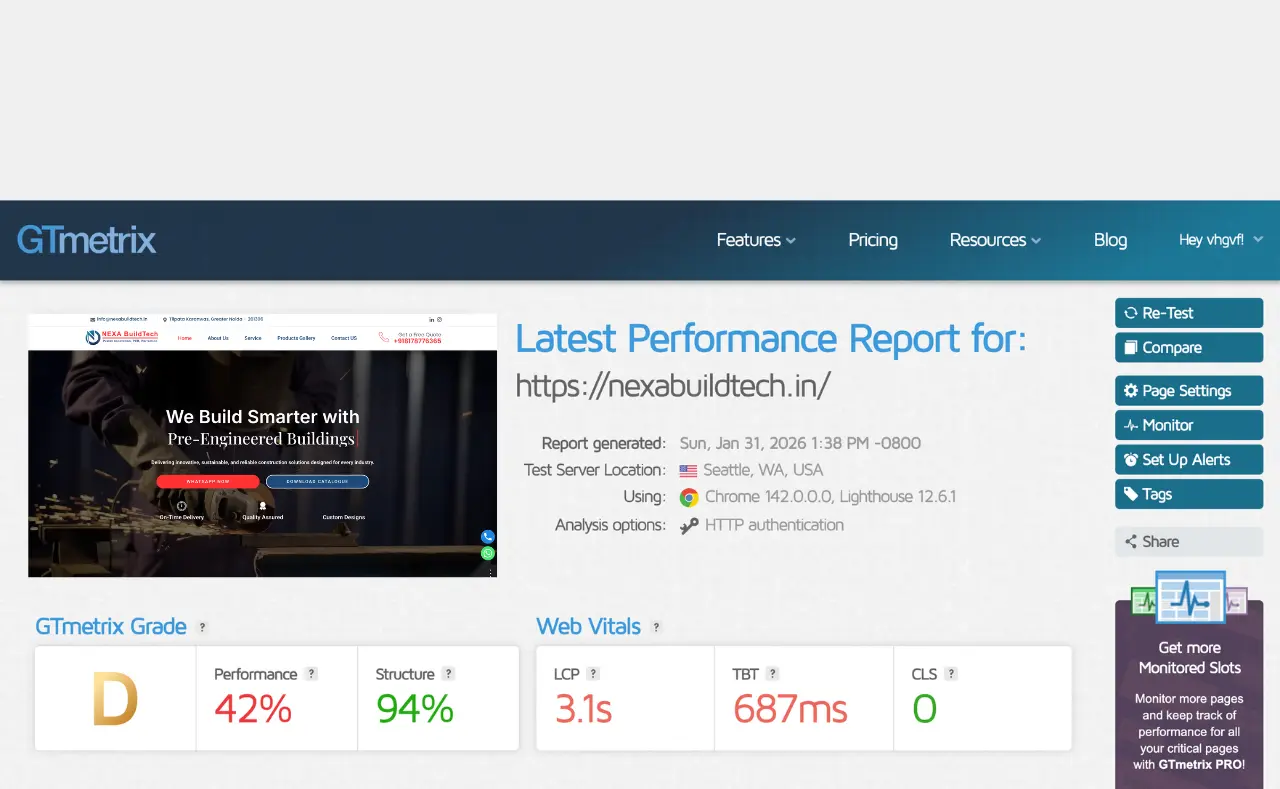
GTmetrix Report - Before Optimization
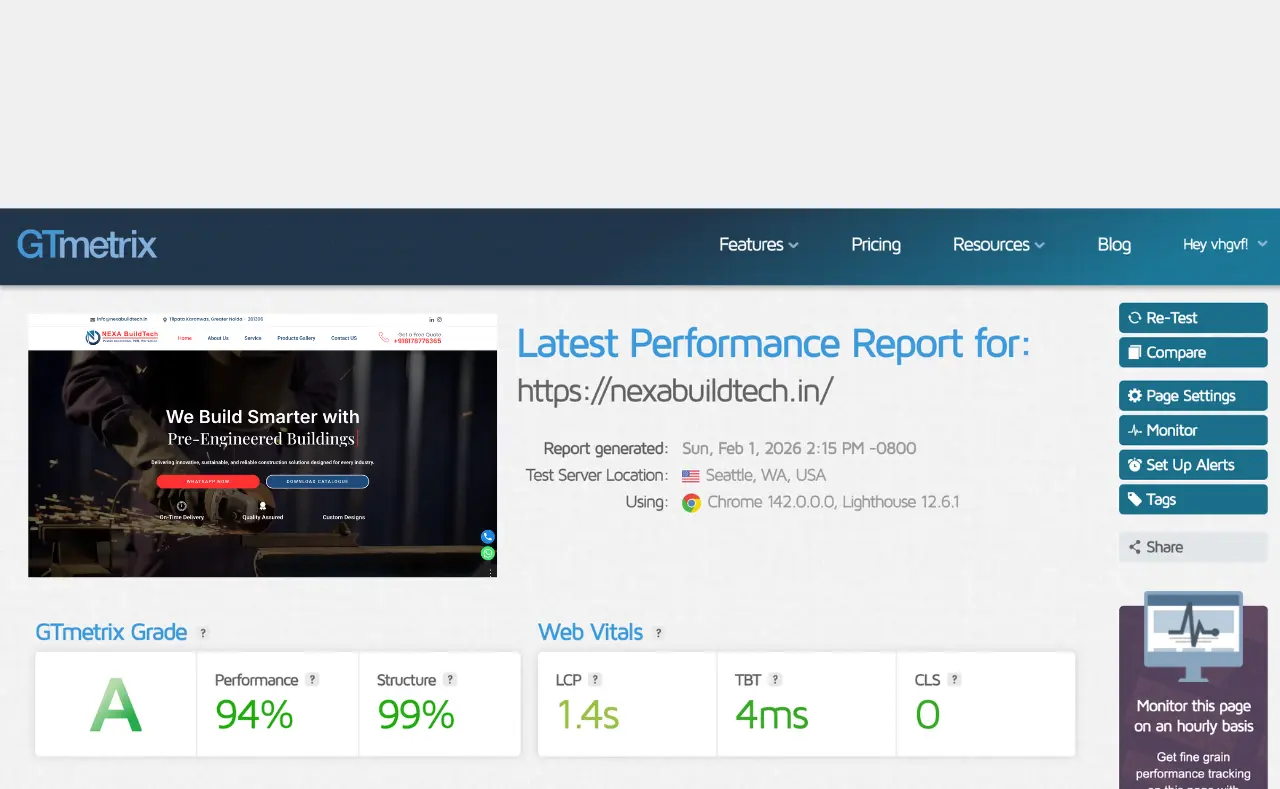
GTmetrix Report - After Optimization
Phase 1: Immediate Wins (1 week)
- • Compressed all images and implemented WebP format
- • Removed 8 unused plugins
- • Enabled GZIP compression + minification
- ✓ Result: Page load improved to 3.2s
Phase 2: Infrastructure (2 weeks)
- • Migrated to modern React/Next.js architecture
- • Set up Cloudflare CDN for global delivery
- • Implemented aggressive caching strategy
- ✓ Result: Page load improved to 1.8s
Phase 3: Code Optimization (1 week)
- • Code splitting (load only needed JS per page)
- • Removed unnecessary dependencies
- • Optimized all database queries
- ✓ Final Result: 1.2 seconds
Results (After)
| Metric | Before | After | Improvement |
|---|---|---|---|
| Desktop Load Time | 4.1s | 1.2s | 71% faster |
| Mobile Load Time | 6.8s | 1.4s | 79% faster |
| Core Web Vitals | FAILING | PASSING | 100% pass |
| Form Abandonment | 65% | 15% | 50% improvement |
| Monthly Leads | 2-3 | 8-10 | +400% |
| Google Ranking | N/A | +3-5 positions | Top 3 |
| Bounce Rate | 42% | 18% | 57% improvement |
The Revenue Impact
- Previous: 2-3 leads/month × $15K avg deal = $30-45K/month
- Current: 8-10 leads/month × $15K avg deal = $120-150K/month
- Additional revenue from speed alone: +$75-105K per month
"We were skeptical about the investment ($12K redesign + $2K/month optimization), but within 2 months, we got the ROI back. The improved speed literally translated to 6-8 more leads per month. This was the best decision we made for our business."
— Rajesh Kumar, Founder, Nexa BuildTech
Struggling with site speed?
Download our free 'Website Speed Audit Checklist' (PDF) - a 15-point checklist professional developers use to identify speed problems. Same tool we use internally.
How to Audit Your Website Speed (Free Tools + Checklist)
Free Tools to Test Speed
Tool #1: Google PageSpeed Insights (Free)
- • Visit: https://pagespeed.web.dev/
- • Enter your URL and get a score 0-100 (aim for 90+)
- • See specific recommendations for your site
- • Test both mobile and desktop versions
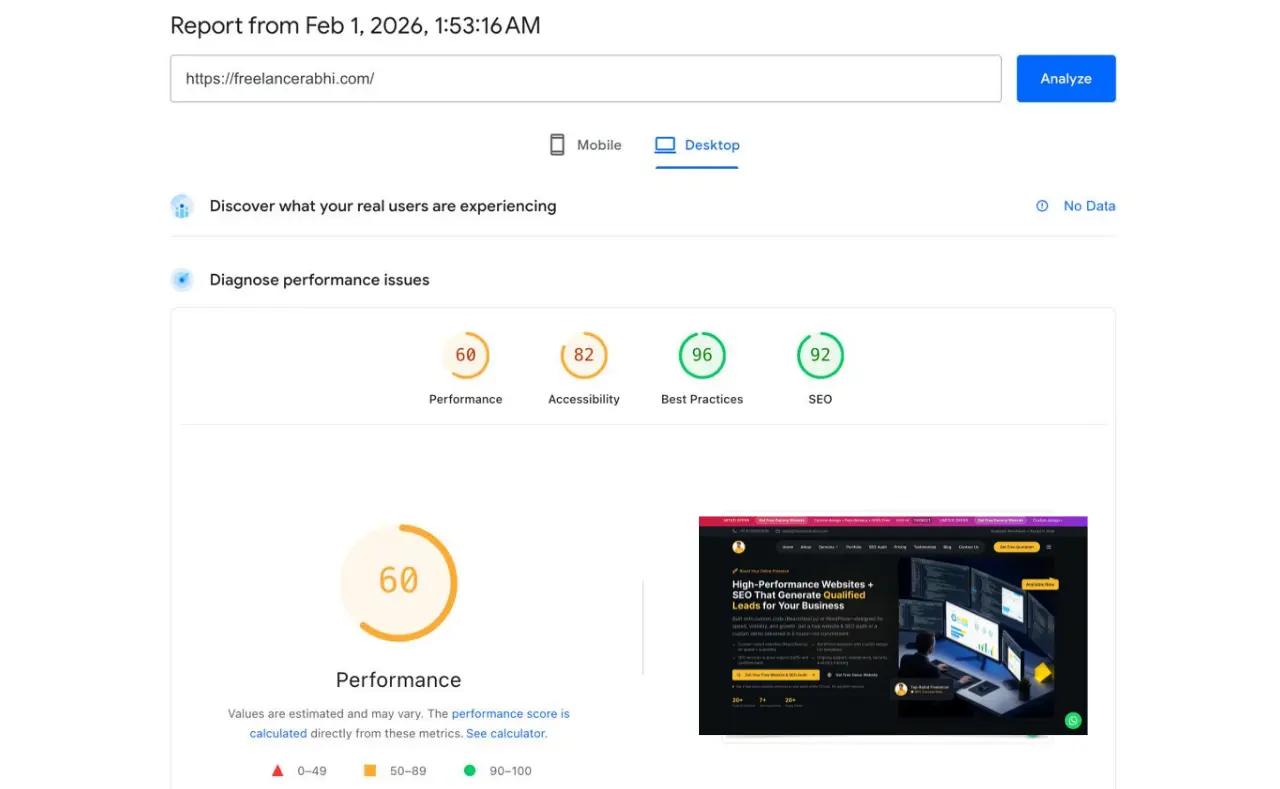
PageSpeed Insights - Before Optimization
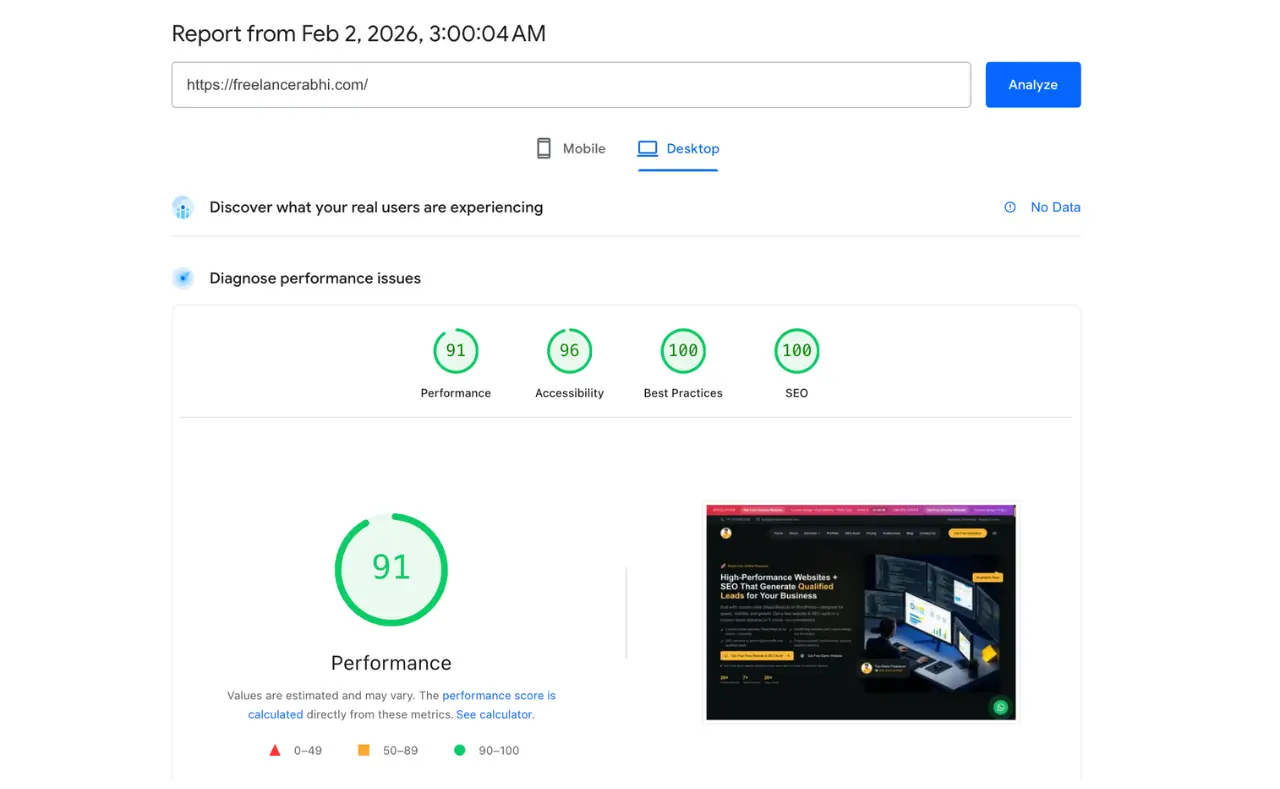
PageSpeed Insights - After Optimization
Tool #2: GTmetrix (Free + Paid)
- • Visit: https://gtmetrix.com/
- • More detailed analysis than PageSpeed
- • Shows waterfall chart (which files load first)
- • Best for diagnosing specific issues
Tool #3: WebPageTest (Free)
- • Visit: https://www.webpagetest.org/
- • Most detailed analysis available
- • Shows real browser rendering video
- • Best for technical deep-dives
Quick 10-Minute Audit Checklist
Understanding Core Web Vitals
| Metric | What It Measures | Good Score | Poor Score |
|---|---|---|---|
| LCP (Largest Contentful Paint) | How fast main content loads | <2.5s | >4s |
| CLS (Cumulative Layout Shift) | How much page elements move | <0.1 | >0.25 |
| INP (Interaction to Next Paint) | How fast page responds to clicks | <200ms | >500ms |
⚠️ Red Flags: If ANY Core Web Vital is red/poor, you're losing leads right now.
5-Minute Fixes You Can Implement Today
Enable GZIP Compression
Ask your hosting provider or check your hosting control panel for a 1-click option.
Install Caching Plugin
WordPress users: Install WP Rocket or LiteSpeed Cache. Takes 5 minutes, immediate 20-30% improvement.
Remove Unused Plugins
WordPress: Delete (not just deactivate) anything you're not actively using.
Compress Images
Use TinyPNG.com to compress images for your next blog post or page update.
Test on PageSpeed
Establish a baseline score so you can track improvements over time.
Expected Impact: 15-25% speed improvement if you do all 5 quick wins
DIY vs Hiring a Professional: Which is Right for You?
DIY is OK for:
- Minor optimizations (compression, caching, removing plugins)
- Quick wins on existing WordPress sites
- Small improvements (10-20% faster)
You NEED a Professional When:
- Your site is over 3 seconds (needs redesign, not tweaks)
- Core Web Vitals are failing
- Your CMS is outdated or bloated
- You've tried everything and speed hasn't improved
- You want 50%+ speed improvement (requires technical overhaul)
Why Professional Services Matter
Custom-built sites on React/Next.js load 2-3x faster than WordPress because:
- • No plugin overhead (zero unnecessary code)
- • Code optimized for YOUR specific use case
- • Modern architecture (code splitting, lazy loading built-in)
- • Professional CDN + caching strategy configured correctly
Consider a professional website redesign if you need dramatic improvements.
Take Action Now - Every Second Counts
Let's recap what we've covered:
- • 63% of visitors abandon sites that take more than 3 seconds to load
- • 7 common speed issues are killing your lead generation right now
- • Real case study: 6.8s → 1.4s = +400% more leads
- • Free tools available to audit your site in 10 minutes
- • Professional help available for 50%+ improvements
Ready to Overhaul Your Site Speed and Generate More Leads?
Book a Free 30-Minute Strategy Call - we'll review your site, identify biggest opportunities, and show you exactly what's possible.
See how we've helped 20+ companies go from slow to lightning-fast. Average result: 40% more leads within 3 months.